Detector Maps
Gold Discovery Solutions Pty LtdMaps & Navigation
4.552.00 Reviews
- Version
- 5.7.0
- Installs
- 10.00K
- Age Rating
- Everyone
Screenshots
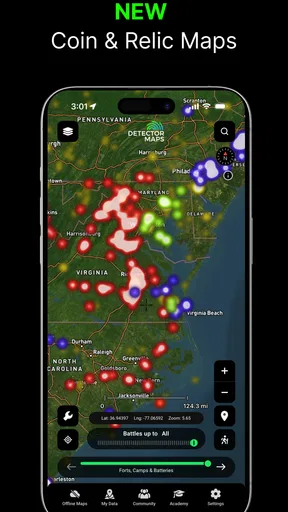
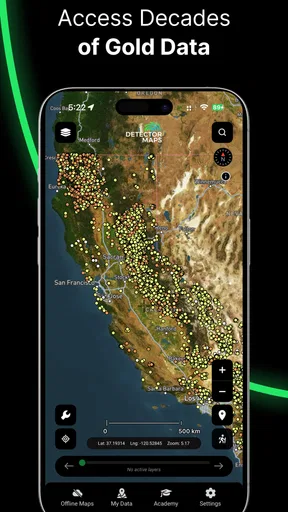
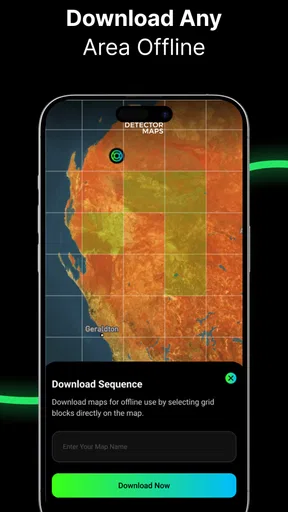
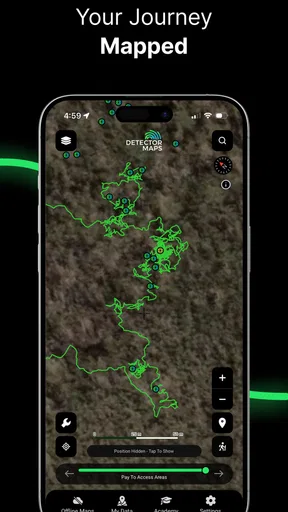
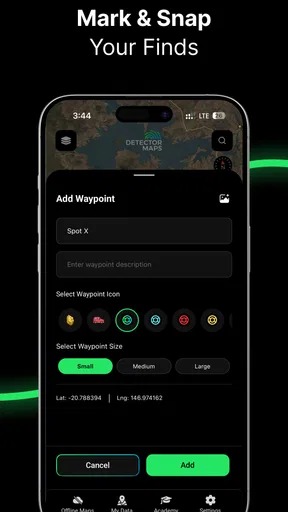
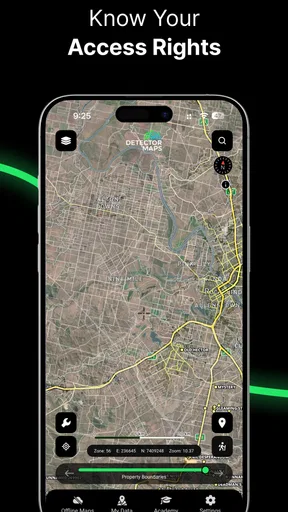
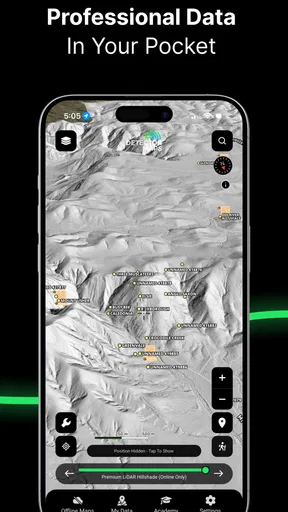
Our Review of Detector Maps
 Analysis by Appyee
I approach Detector Maps as a tool to investigate a location, not as a replacement for every map or navigation app on my phone. It sits in the maps and navigation category, and its detector-focused identity makes it most appealing when finding or checking places is part of the task. If you are opening it for the first time, the simplest route to a useful result is to start with one nearby destination, learn how its map presents that area, and only then decide whether it fits your regular routine.
What a first-time user should expect
The name can suggest a specialist mapping tool, while the short store description is simply “Detector Maps.” I would therefore begin with a practical question: does the app help me find the location or information I came for? Gold Discovery Solutions Pty Ltd develops it, and the broad navigation setting makes it relevant to people who want a map-based way to orient themselves. That is a narrower promise than being the one map app everyone needs, and I think it is best judged on the particular places and workflows you care about.
It is free to install, with optional in-app purchases listed from $9.99 to $99.00 per item. I would try the basic experience before considering a purchase, then check exactly what an offered item includes and whether it solves a problem I actually have. That is especially sensible for a focused app: an upgrade is worthwhile only if its added value matches your own use, not just because the option appears during setup.
Getting ready without overcomplicating setup
After installing, give yourself a calm first session rather than waiting until you are already lost or in a hurry. Open the map somewhere familiar and look for the controls that help you search, orient yourself, and inspect a destination. Starting in a place you know gives you a useful reference point: you can tell whether the map view makes sense to you before relying on it somewhere unfamiliar.
Detector Maps is free and rated for everyone. It was released on August 24, 2025, and its current version is 4.4.0, with Android 7.0 as the minimum operating-system requirement. The rating averages 4.2 from around 350 ratings, and it has more than 10,000 installs. Those figures offer a little context about its audience, but I would treat them as background rather than a guarantee that it will suit every phone, location, or purpose.
For a first test, search for one place you already know how to reach. Check that the result is the intended destination before setting off, and compare the route or location with your usual map if anything looks unexpected. This simple habit catches the most common early mistake: treating a plausible-looking result as the right one without checking the name and area. It also gives you a low-pressure chance to see whether the controls feel clear on your device.
Making the first useful map check
A good first success does not need to be a long trip. Try using the app to assess a nearby location you might visit, then note what information helped you decide where to go next. If you are exploring, keep a second navigation option available until you understand how Detector Maps behaves in your area. I see that as sensible preparation, not a reason to avoid trying it: maps are most useful when you have a fallback for moments when a result is unclear.
Where it can fit into an ordinary day
Picture a weekend plan that changes at the last minute: a friend suggests meeting somewhere you have not visited, and you need to check the area before leaving. You can use a map-focused app to orient yourself, search for the destination, and make a more informed choice about the next step. The useful workflow is to confirm the place first, then use your familiar navigation method if you need turn-by-turn directions you already trust. That division of work avoids asking one app to do everything before you know its strengths.
Detector Maps is likely to suit curious users who want to explore its location-finding approach, people who enjoy comparing map tools, and anyone whose plans involve checking places rather than simply following a well-known commute. It is less compelling if you only need a dependable, familiar route to work and your existing navigation app already does that cleanly. In that case, another app may be faster simply because you know its controls and have already built your habits around it.
How to avoid a confusing first outing
Do not make your first test a time-critical journey. Try a short, familiar outing while you have enough time to pause, inspect the map, and switch tools if needed. Before leaving, make sure you can identify the destination you searched for and understand the location shown on screen. On arrival, check that the mapped result corresponds to the real place rather than assuming that a nearby marker necessarily identifies the exact entrance or meeting point.
A second useful habit is to keep your search specific. If several places have similar names, add a neighborhood or another distinguishing detail when the app allows it, and inspect the result before acting on it. This is a general safeguard for map searches, but it matters especially when you are using a new tool whose search behavior you have not learned. A moment spent confirming the right location is better than correcting a wrong turn after you have set off.
Choosing it over a familiar map app
Most people already have a standard maps app for directions, traffic, and saved destinations. I would not replace that routine automatically. Instead, I would compare the apps on the task that brought me to Detector Maps: how quickly I can find the relevant place, whether the map view helps me understand the area, and whether I can repeat the task comfortably. For ordinary commuting, a mainstream navigation app may remain the better choice if it offers the route details you need and you know it well.
The trade-off is familiarity versus fit. A well-known map can be reassuring, but a more specialized tool can be worth keeping if its way of presenting locations supports a particular activity. I would use Detector Maps alongside a general-purpose navigator until I had enough real experience to decide whether it deserves a permanent place in my routine. That approach also makes it easier to notice where it adds value instead of judging it only by whether it looks like a different app.
Questions worth answering before relying on it
Can it be your only navigation app? I would not assume so on day one. First test it against a familiar destination and decide whether its results and controls cover your actual journey. If you need detailed guidance for a complicated route, use the navigation option that you already know can handle that task while you learn this app.
Is it worth paying for an in-app item? Only if you can identify a specific benefit you need. Since the app is free to start and purchases vary in price, I would read the purchase details carefully before confirming anything. A listed price range is not a reason to buy; the right choice depends on whether the item addresses a recurring need rather than a one-off curiosity.
Will it work for every place I want to explore? I would test the locations that matter to me rather than generalize from one successful search. Map usefulness can vary with the destination and the task, so check a few representative places before depending on it for a trip. For a location that is difficult to identify, verify it with another map or a direct confirmation from the venue.
Should a new user expect an effortless first run? The app is worth approaching patiently. Learn the search and map view in a familiar area, confirm each result, and build up to less familiar outings only when the basic workflow makes sense. That progression reduces the chance of confusion and gives you a fair way to judge whether its focused approach works for you.
My recommendation after weighing the trade-offs
I would give Detector Maps a try if you have a clear reason to explore a detector-oriented map tool and are happy to evaluate it alongside your usual navigation option. Its free starting point makes a low-pressure test possible, while the optional purchases are something to assess only after you understand what you want from the app. The 4.2 average rating across around 350 ratings suggests that many users have formed an opinion, but your own destination and workflow are the more useful test.
For someone who wants one familiar app to handle every journey with no learning curve, I would stick with the map they already trust. For someone willing to test a different way of checking locations, I think Detector Maps is worth a measured trial: start nearby, confirm the results, and keep a backup for important trips. If that first small outing makes the map easier to use for your particular plans, you will have a concrete reason to keep it. If it does not, there is no need to force it into a routine that already works.
What Exactly is Detector Maps?
You might be thinking, "Another map app?" But hold on, Detector Maps is not your typical navigation tool. It’s like having a personal guide who knows the ins and outs of the city. The app combines traditional map functionalities with modern technology to offer features like real-time traffic updates, offline maps, and even augmented reality.
Easy Navigation
Getting lost is a thing of the past with Detector Maps. The app’s interface is super intuitive, making it easy even for tech newbies to find their way. The search function is fast and accurate, helping you locate places with just a few taps. I was particularly impressed by how it predicts your destination based on previous searches—pretty neat, right?
Offline Maps
One of the standout features for me is the offline maps. Let’s be real, not all of us have access to data 24/7, especially when traveling abroad. With Detector Maps, you can download maps of your desired areas ahead of time. This means you can navigate without worrying about connectivity or racking up roaming charges. It’s been a game-changer on my trips.
Real-Time Updates
Traffic jams and roadblocks can be a real bummer when you're trying to get somewhere. Thankfully, Detector Maps provides real-time updates, alerting you about traffic conditions and suggesting alternative routes. It’s like having a radar that sees potential delays before they become a problem. Trust me, this feature has saved me countless hours.
Augmented Reality
Now, this is where things get futuristic. The augmented reality feature overlays directions onto the real world through your phone’s camera. It’s like having a digital path laid out before you. This feature is especially handy in unfamiliar areas where street signs are scarce or in a language you don’t understand. Plus, it looks super cool!
Why You Should Try Detector Maps
So, why should you download Detector Maps? It’s simple. The app offers a seamless blend of convenience and technology, making it a powerful tool in your travel arsenal. Whether you’re commuting to work or exploring a new city, this app has got your back. And let’s not forget, it’s free to download with optional in-app purchases for premium features.
In conclusion, Detector Maps is more than just a navigation app; it’s your personal travel assistant. With its user-friendly interface, offline capabilities, real-time updates, and innovative augmented reality feature, it’s designed to make your journeys as stress-free as possible. So, the next time you’re heading out on an adventure, remember to have Detector Maps by your side. Happy travels!
Verdict
Strengths of Detector Maps
- User-friendly interface for easy navigation.
- Accurate real-time traffic updates.
- Customizable map views enhance usability.
- Offline maps available for use without data.
- Integrates well with other navigation apps.
Limitations of Detector Maps
- Limited features in the free version.
- Occasional GPS signal issues in remote areas.
- In-app ads can be intrusive.
- Battery consumption is relatively high.
- Some map updates are delayed.
Similar Picks in This Category
View All
Uber - Request a ride
Uber Technologies, Inc.4.7


inDrive. Rides with fair fares
® SUOL INNOVATIONS LTD4.8

Yandex Go: Taxi Food Delivery
Mikromobilnost LLC Belgrade4.8

Bolt: Request a Ride
Bolt Technology4.8

Rapido: Bike-Taxi, Auto & Cabs
Rapido Bike Taxi4.8
Frequently Asked Questions
What is Detector Maps and how does it work?
Detector Maps is a navigation app designed to provide users with real-time alerts about speed cameras, traffic conditions, and road hazards. It uses GPS to pinpoint your location and notify you of any upcoming alerts, helping you to drive more safely. The app integrates user-reported data to enhance accuracy.
Is Detector Maps available for both Android and iOS devices?
Yes, Detector Maps is available for download on both Android and iOS platforms. You can find it on the Google Play Store for Android devices and the Apple App Store for iOS devices. Make sure your device meets the app’s compatibility requirements to ensure optimal performance.
Does Detector Maps require an internet connection to function?
While Detector Maps can operate with limited functionality offline, it requires an internet connection to provide real-time updates. This connection is essential for accessing live traffic data, receiving the latest road alerts, and contributing user-reported information to the community.
Are there any subscription fees for using Detector Maps?
Detector Maps offers both free and premium versions. The free version includes basic features like navigation and speed camera alerts. The premium version, available through a subscription, provides enhanced features such as ad-free usage, advanced traffic monitoring, and priority customer support.
How does Detector Maps ensure user privacy and data security?
Detector Maps takes user privacy seriously by implementing robust data encryption protocols. The app collects only necessary data to improve user experience and does not share personal information with third parties without consent. Users have control over their privacy settings within the app.
